Brand-Exclusive AI Model: The Same Face Across Your Whole Catalog (Lingerie and Modest Wear Included)
A different face on every product photo dilutes your brand. How to create a brand-exclusive AI fashion model that stays the same across your whole collection, including consistent models for lingerie, swimwear and modest fashion.
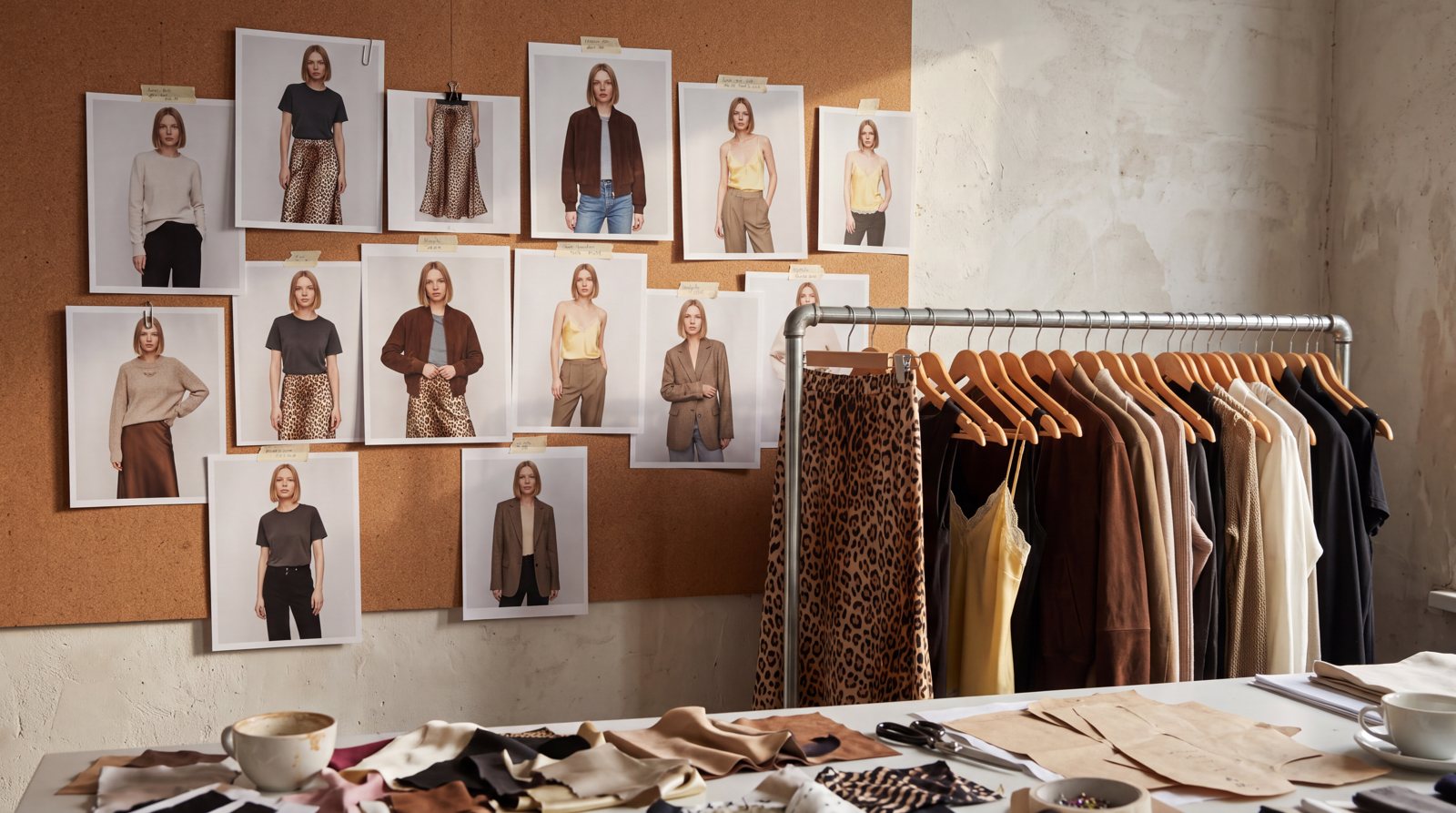
Short answer: A brand-exclusive AI model is a synthetic model created only for your brand that appears with the same face and body on every product, every season. In NOX you create the model once in Model Studio, save it, and pick it for every shoot. There are also solutions for the two categories where most tools cannot keep a model consistent: a dedicated lingerie model for lingerie and swimwear, and a modest model with a hijab and fully covered styling for modest fashion brands.
When shoppers scroll through a store and see a different woman in every photo, the catalog feels pieced together. Look at the catalogs of large fashion brands and you see one face, one light and one attitude. The same model across a season means the same brand feeling.
In a physical shoot that consistency is expensive: you rebook the same model for every new product drop and rebuild the same studio and light. With AI the problem is the opposite: most tools invent a new face on every generation. The fix is to define the model once and lock it.
Same model, different products
The three frames below were made from three different product photos with the same model, created once in Model Studio. The product changes; the face, hair, body and brand feeling stay the same.
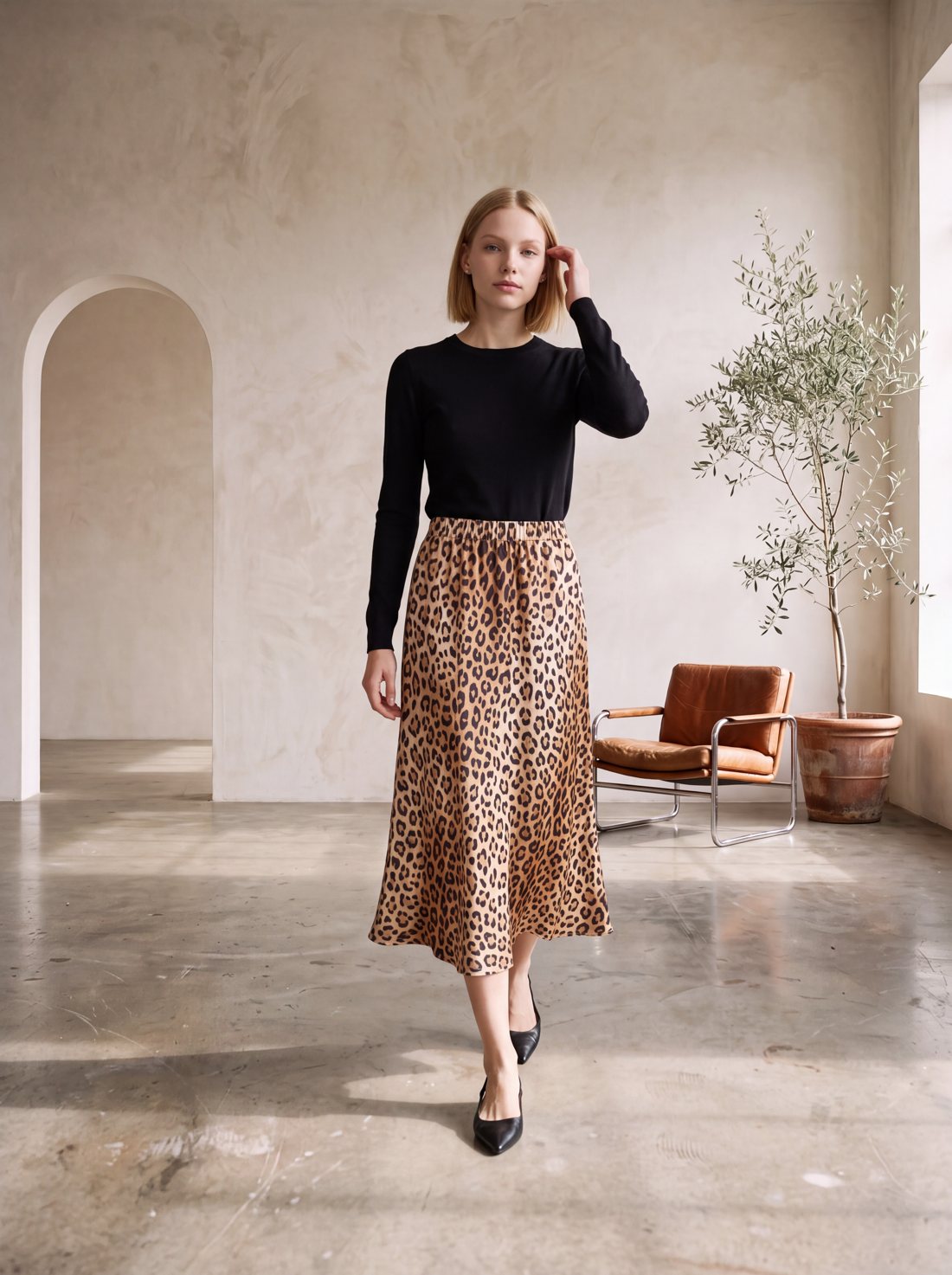
Product 1: leopard print satin midi skirt.
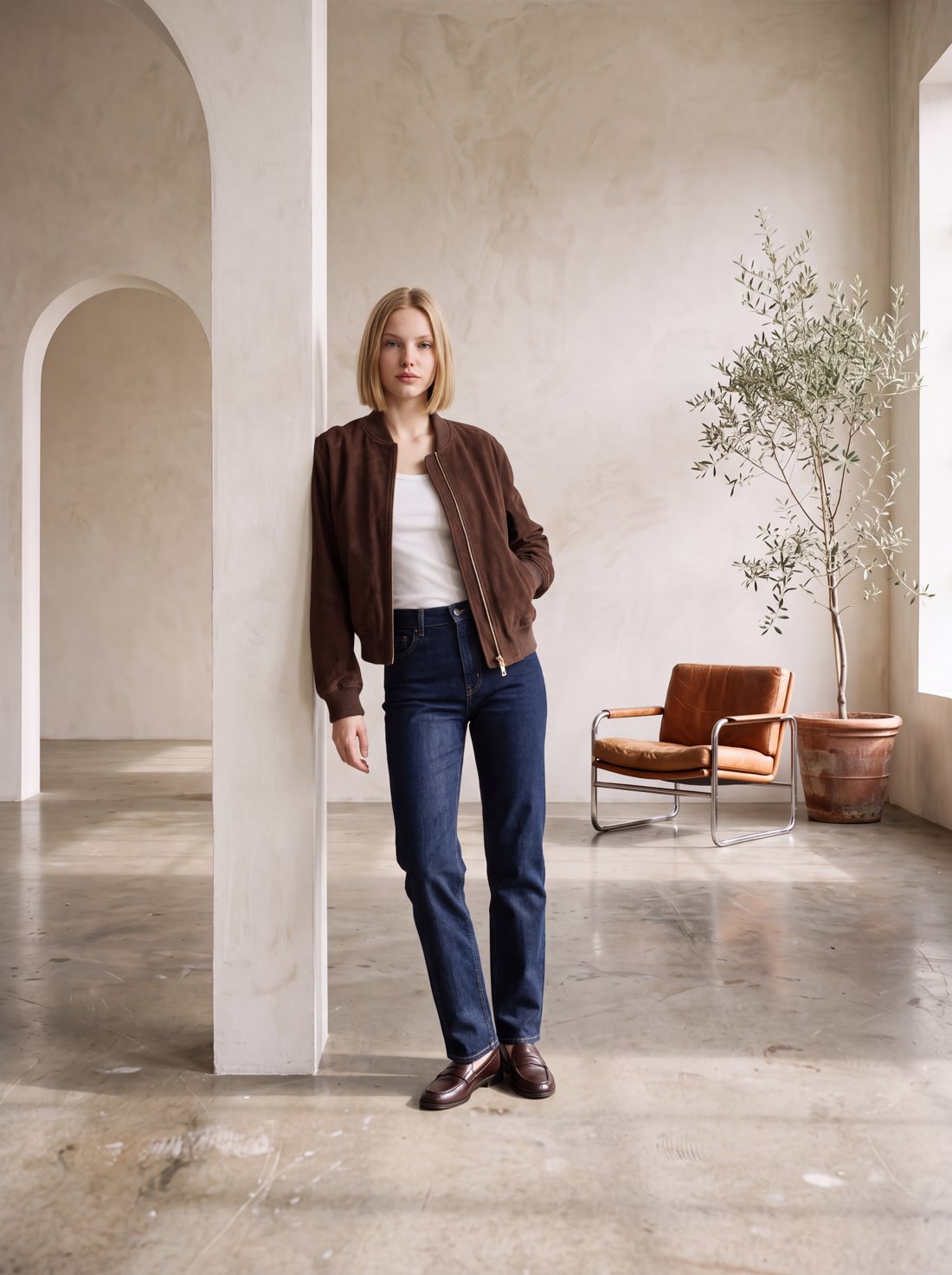
Product 2: cropped suede bomber. Same model, same studio.
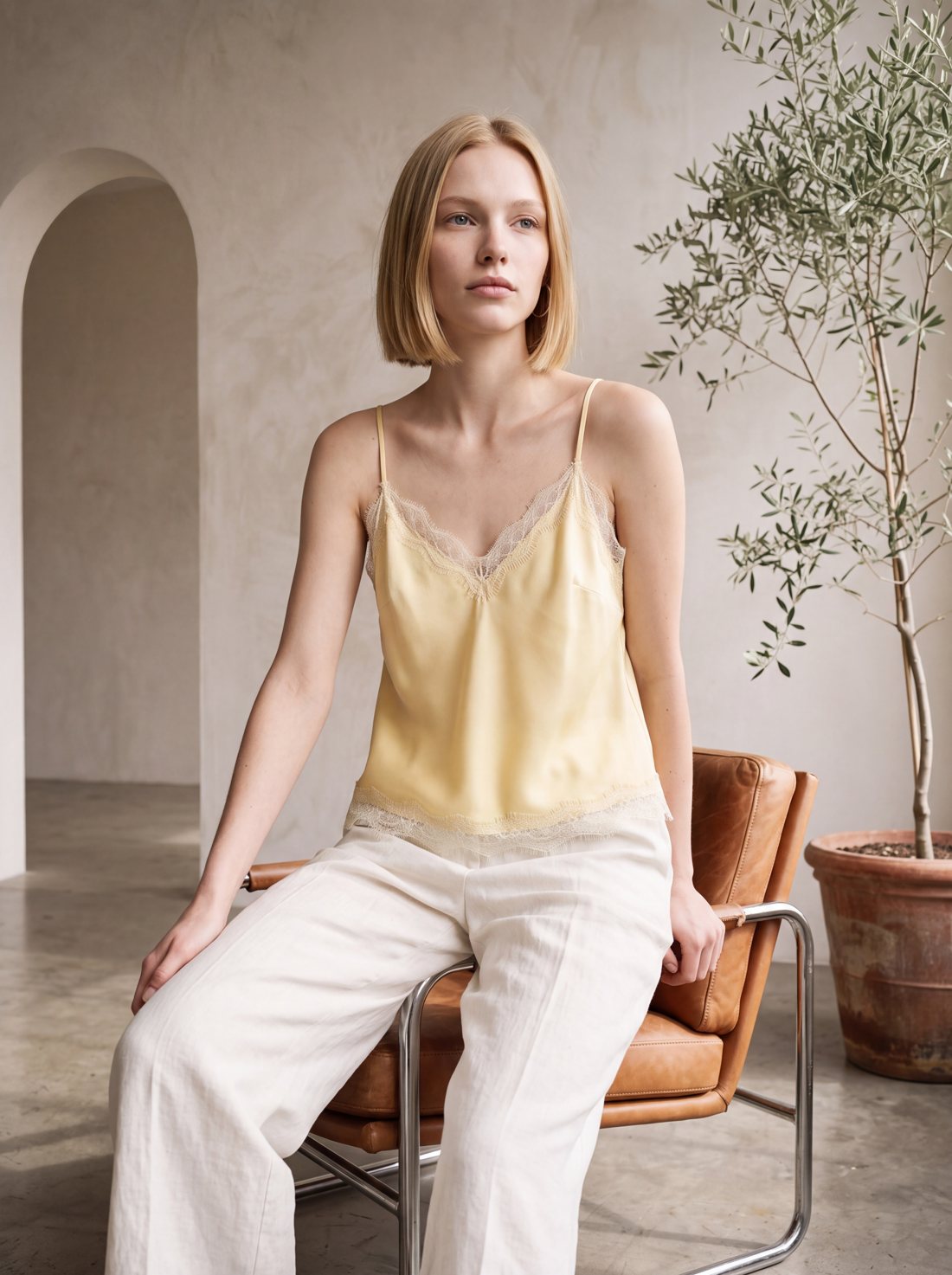
Product 3: satin camisole with lace trim. Same model.
How to create your brand-exclusive model
- Open Model Studio. Choose gender, age, heritage, skin, hair and body type; add extra details like "freckles, high cheekbones" if you want.
- Pick one of the candidates. NOX generates a few portrait candidates. Save the one that fits your brand; it goes into your library with a portrait and a full-body photo.
- Lock the model to your brand. With "Lock model to my brand" on in Brand Memory, the model becomes the default for every On-Model and Editorial shoot. Whoever on your team runs the shoot, the same face appears.
- Dress your products. Upload each new product and generate it on the same model. Next season's products slot into the same series.
Model Studio is available on the Studio plan and above, with 5 to 30 saved models depending on the plan. Brand Memory is available on PRO and above.
Lingerie and swimwear: why it is hard and how we solved it
On-model lingerie is the hardest category for AI. The safety filters of image models refuse to combine a photo of a person with a lingerie product. The result: in many tools a lingerie shoot either fails completely or shows a different woman in every frame. For a lingerie brand that means no consistent catalog.
NOX has a separate model type for this: the Lingerie model. It is not built from a photo but from a detailed description and a fixed technical signature. That is why it passes the filters and appears as the same person on every product.
Below are two different lingerie models for two different brands. Each one stays the same person on every product of her brand.
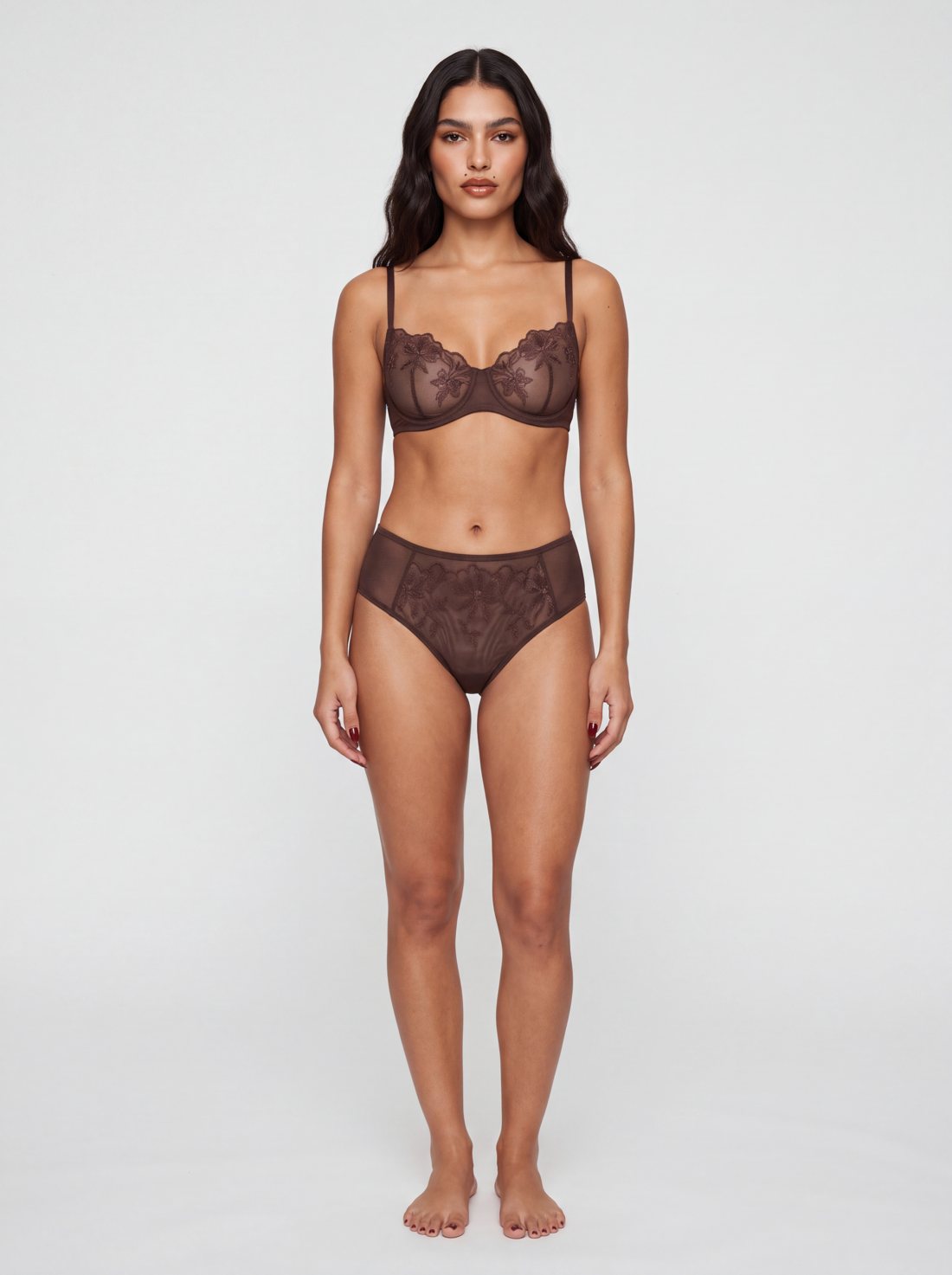
Brand 1 model: espresso embroidered mesh set.
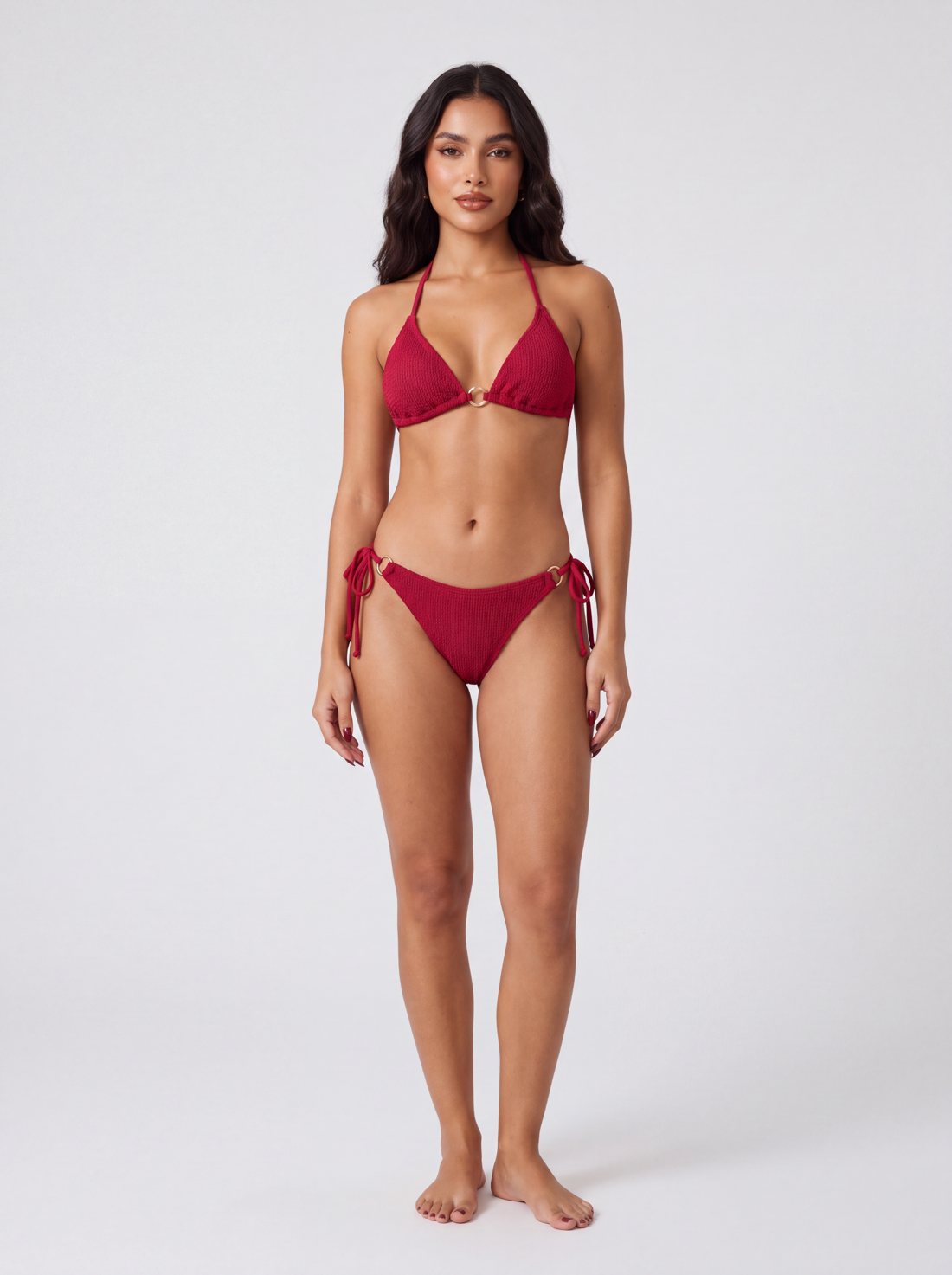
The same model in a bikini with gold ring details.
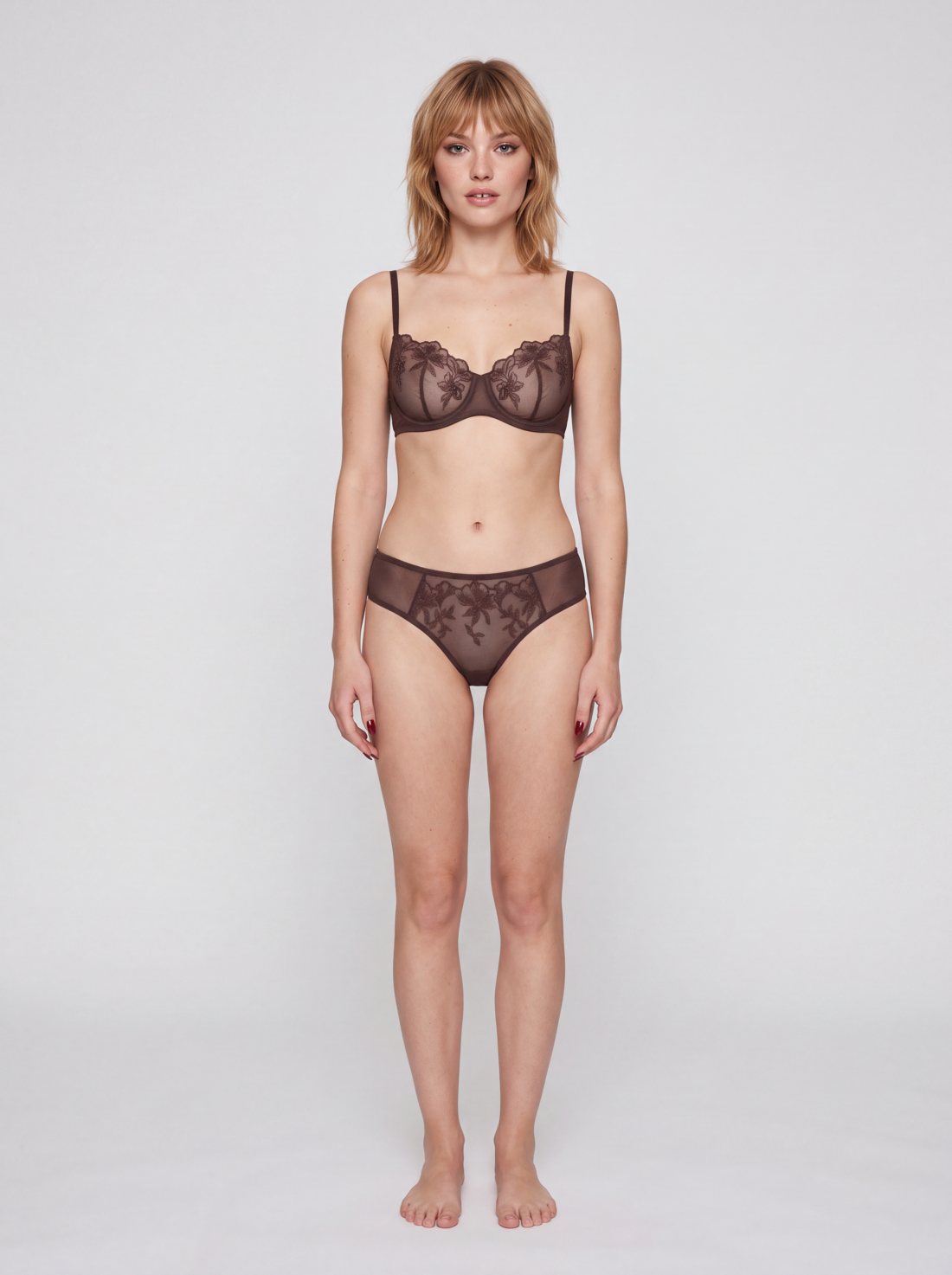
Brand 2 model: the same set, a completely different brand face.
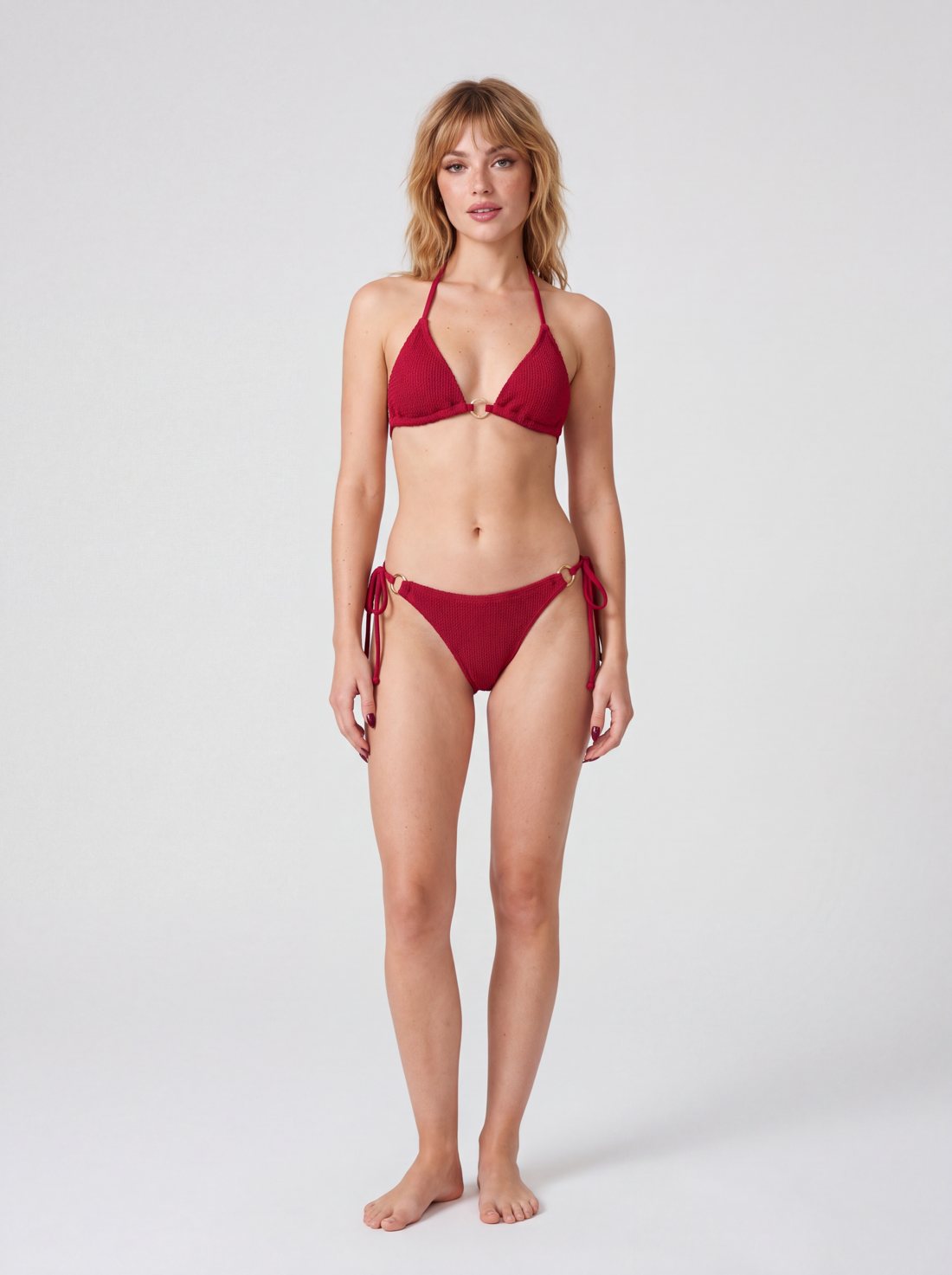
The same model in the bikini.
In Model Studio you switch on "Lingerie model" and create your model. Brand Memory has a separate lock for lingerie: your regular model is used for apparel and your lingerie model for lingerie and swimwear, automatically. Category details: Lingerie and swimwear product photography with AI
A modest model for modest fashion brands
Modest fashion has a different problem: AI models are usually generated with visible hair, arms and neck. Even if an abaya, trench coat or tunic set looks right on that model, the styling does not fit the brand's audience.
The Modest model option in Model Studio creates a model wearing a hijab with fully covered styling. When you pick this model, every shoot is built for modest wear: hair, neck and arms stay covered and styling pieces are chosen to match.
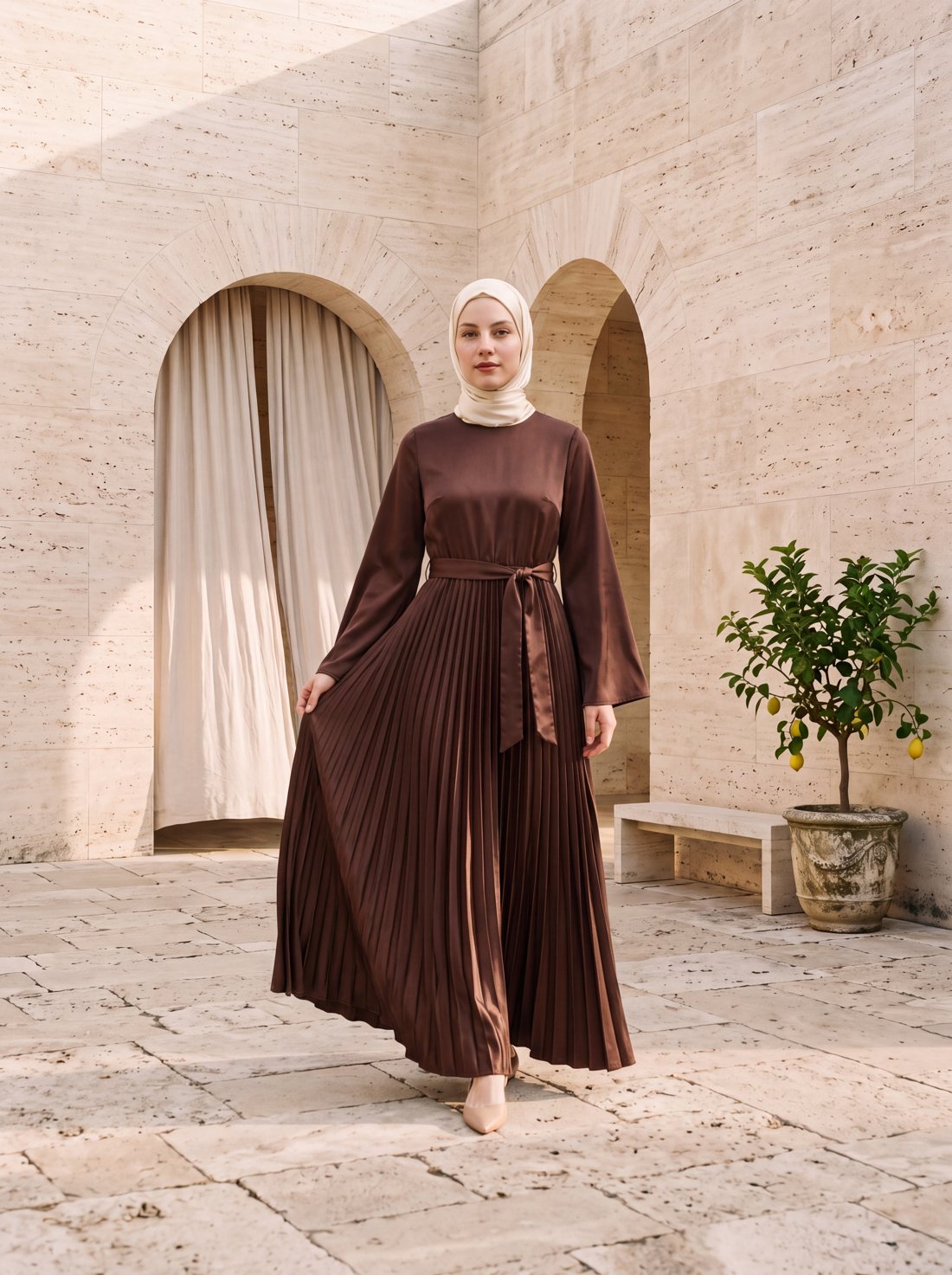
Pleated satin abaya on the modest model.
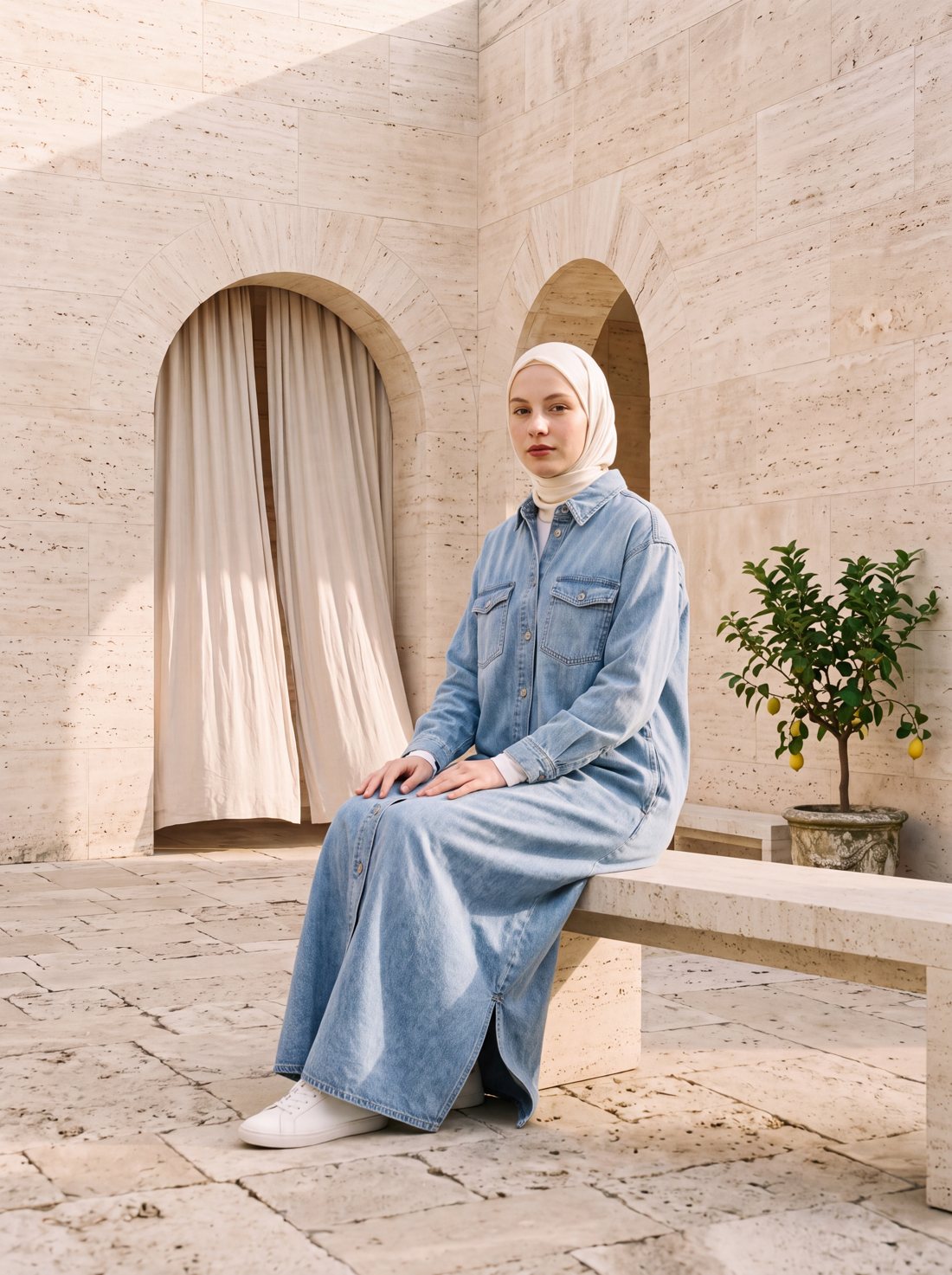
The same model in a denim maxi shirt dress.
Why it matters
- Brand recognition: One face makes your brand easier to remember. Someone who sees a post on Instagram lands on your store and finds the same model.
- A professional catalog: Products side by side on a category page look like they came from one shoot.
- Continuity across seasons: New drops join the same series without rebooking a model agency, studio and photographer.
- The right fit for your audience: In categories like lingerie and modest wear you can choose a model your customers recognize themselves in.
Rather not do it yourself? We produce it for you
You can create your model and run the shoots yourself. If your collection is large, or you also need campaign visuals and ad videos, the NOX team can produce it for you: a brand-exclusive model design, every product on the same model, campaign visuals and ad films. Details: Done-for-you production
Frequently asked questions
Is the model a real person? No. The model is a synthetic model generated from a description; it is not derived from a real person's photo. There are no image rights or model contracts to manage.
Will it be exactly the same face in every shoot? The same model is recognizable as the same person on every product: facial features, hair, skin and body type are kept. Pose, light and expression change with each shoot, just like in a real photoshoot.
Can the lingerie model be used for regular apparel? The lingerie model is designed for lingerie and swimwear. For other apparel your regular model gives the best result, and Brand Memory handles that split automatically.
Does every product come out modest with the modest model? Yes. When the modest model is selected, the shoot is built for modest wear: the hijab, covered neckline and long sleeves are kept.
Can we use a photo of our own model? For apparel, jewelry and accessories you can work with your own model photo. For lingerie and swimwear, safety filters do not accept photos of real people, so a synthetic lingerie model is used.
What do I need to try it? Everyone who signs up gets 3 free generations, no card required. Model Studio opens on the Studio plan and above.
Ready to create your own shoots?
Studio, model and campaign visuals from a single product photo.
Rather not do it yourself? We'll produce it for you.
ServiceSend us your products and our team creates and delivers the photos and ad videos for you. We have delivered catalog series of hundreds of products and realistic ad films for jewelry and apparel brands.
How it works