Trendyol Product Image Rules and the 8-Photo Listing That Sells (2026)
Trendyol's current image requirements, the 8-image product page lineup that actually sells, and how to produce all of it from one phone photo with AI, without a studio.
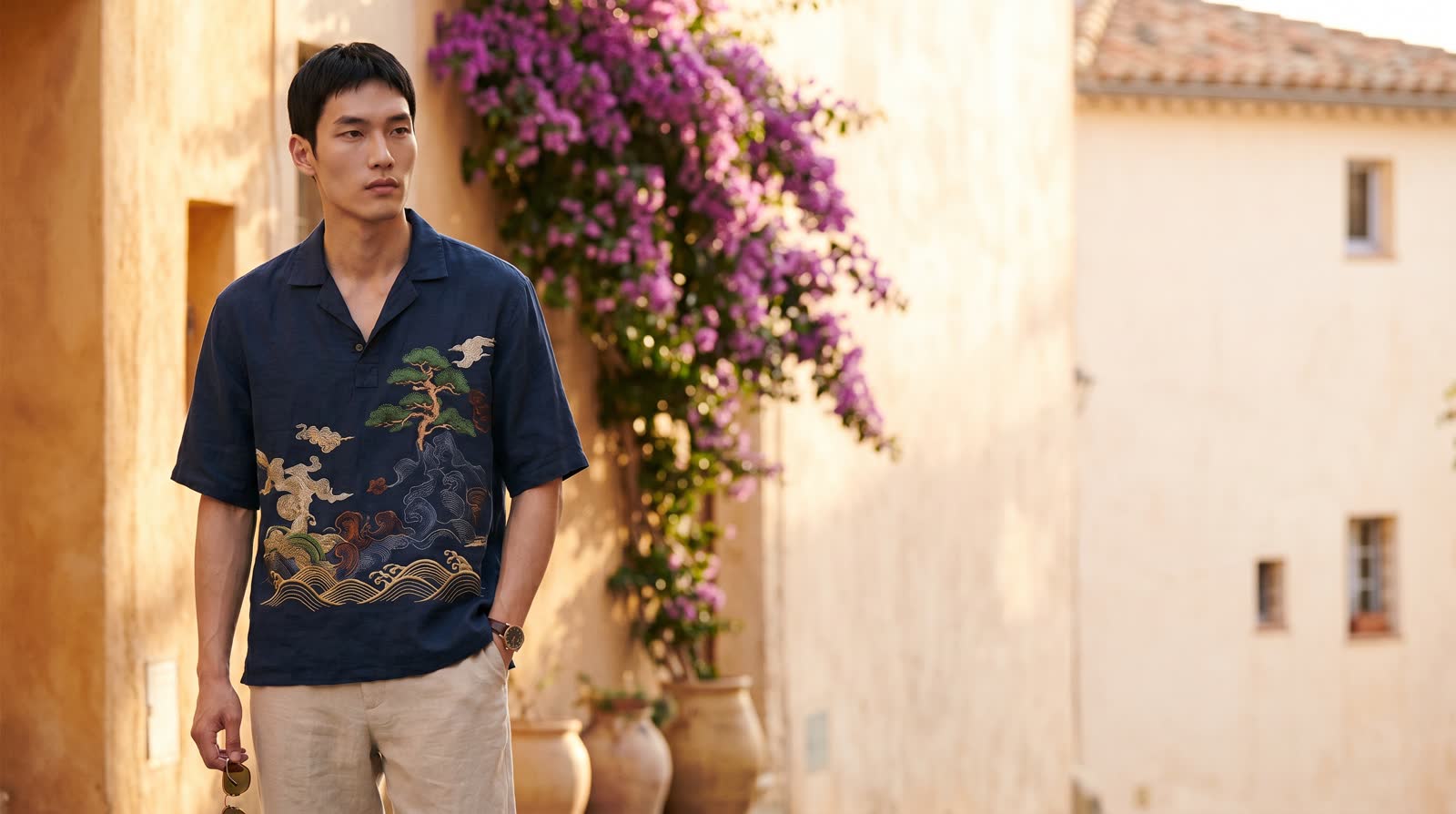
Short answer: On Trendyol the main image must be a clean, white-background frame that shows the product clearly; you get 8 image slots per product, and what actually lifts sales is treating those 8 slots like a shop window: a clean studio shot, on-model views, detail crops and lifestyle frames. All of it can now be produced from a single phone photo with AI, without a studio or a photographer.
Trendyol, Türkiye's leading marketplace, is full of sellers with good products and weak images. The buyer lands on the page, looks at the first frame and decides in two seconds. This guide settles two things: what Trendyol expects from your images, and how to build a set that goes beyond the rules and actually sells.
Trendyol's image rules (summary)
According to the current requirements in Trendyol's Seller Information Center, the basic frame is:
- Format: JPEG, JPG, PNG or WEBP.
- Resolution: up to 2000 x 2000 pixels; common practice is a vertical frame around 1200 x 1800.
- File size: up to 10 MB.
- Main image: white background, nothing but the product; no text, logos or watermarks.
- Sharpness: the product should be large in the frame, fully visible and crisp.
Always treat the list in your seller panel as the source of truth; the platform updates details from time to time. The rules are the entry ticket; what sells is everything after them.
The 8-image lineup that sells
Trendyol gives you 8 image slots per product. Most sellers upload 3 frames shot from the same angle and stop; instead, plan the 8 slots like a shop window:
- Main frame: a clean, white-background studio shot. This frame earns the click.
- Angles (2-3): front, back and side; the buyer can't pick the product up and turn it, so these frames do it for them.
- Details (4-5): fabric texture, stitching, stones, buckles. These are the frames that cut your return rate.
- On-model (6-7): how the product sits, its cut and a real sense of use. This frame type lifts conversion the most.
- Lifestyle (8): the product in a scene with campaign energy. Brand perception is built here.
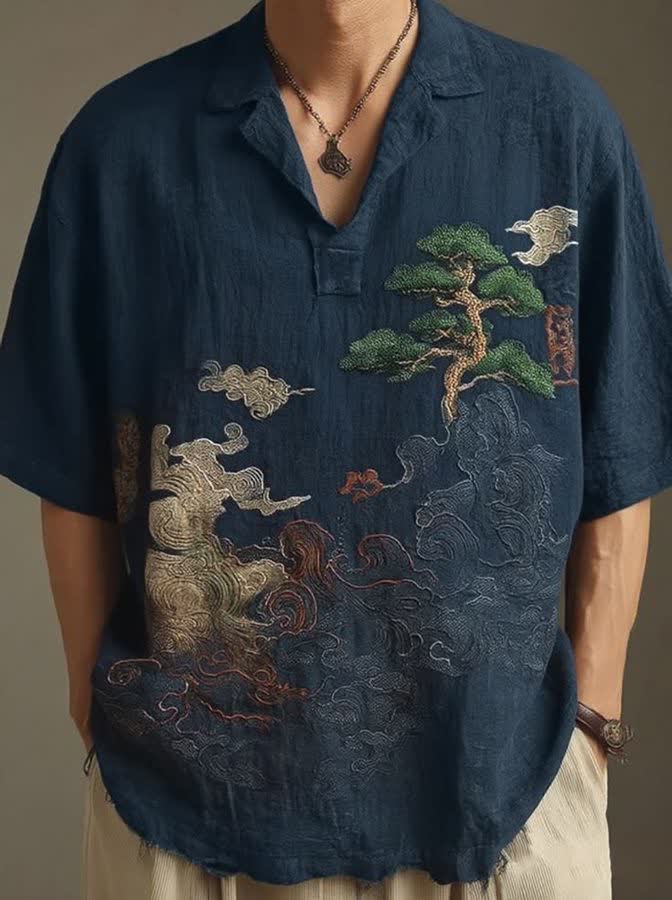
The starting point: a single phone photo taken at home.
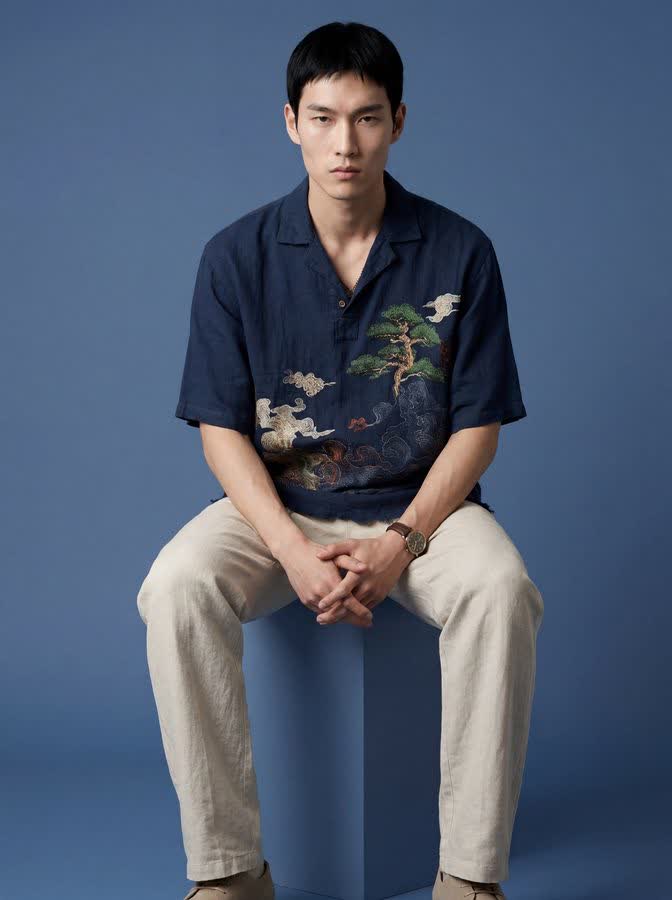
The same product with NOX On-Model. No studio, model or photographer involved.
An Instagram storefront works differently
If you sell on Instagram you manage perception, not rules. There is no white-background requirement; the frame that stops the scroll wins:
- Vertical formats (3:4 or 4:5) take up more of the feed; square and horizontal frames cost you reach.
- Before/after content is the most-saved content type; put the raw phone photo next to the professional result.
- A consistent aesthetic (the same model, similar light and background language) turns a profile into a shop window; a buyer landing on your profile should see a brand.
- Rotate detail and in-use frames through stories; keep the strongest frames as feed posts.
How to produce it without a studio (step by step)
Building this set the traditional way means a studio, a photographer and a model; weeks of time and a serious budget for a single collection. With AI the workflow shrinks to this:
- Take one sharp photo of the product: daylight, plain background, the whole product in frame.
- Upload it to NOX Studio.
- Generate your clean main frame with the Studio tool; you get a sharp, rule-compliant main-image candidate.
- Dress the product on a model with On-Model; use the same model across your catalog to fix a brand face.
- Add lifestyle and campaign frames with Editorial.
- Order the frames according to the lineup above and upload; share the vertical versions on Instagram.
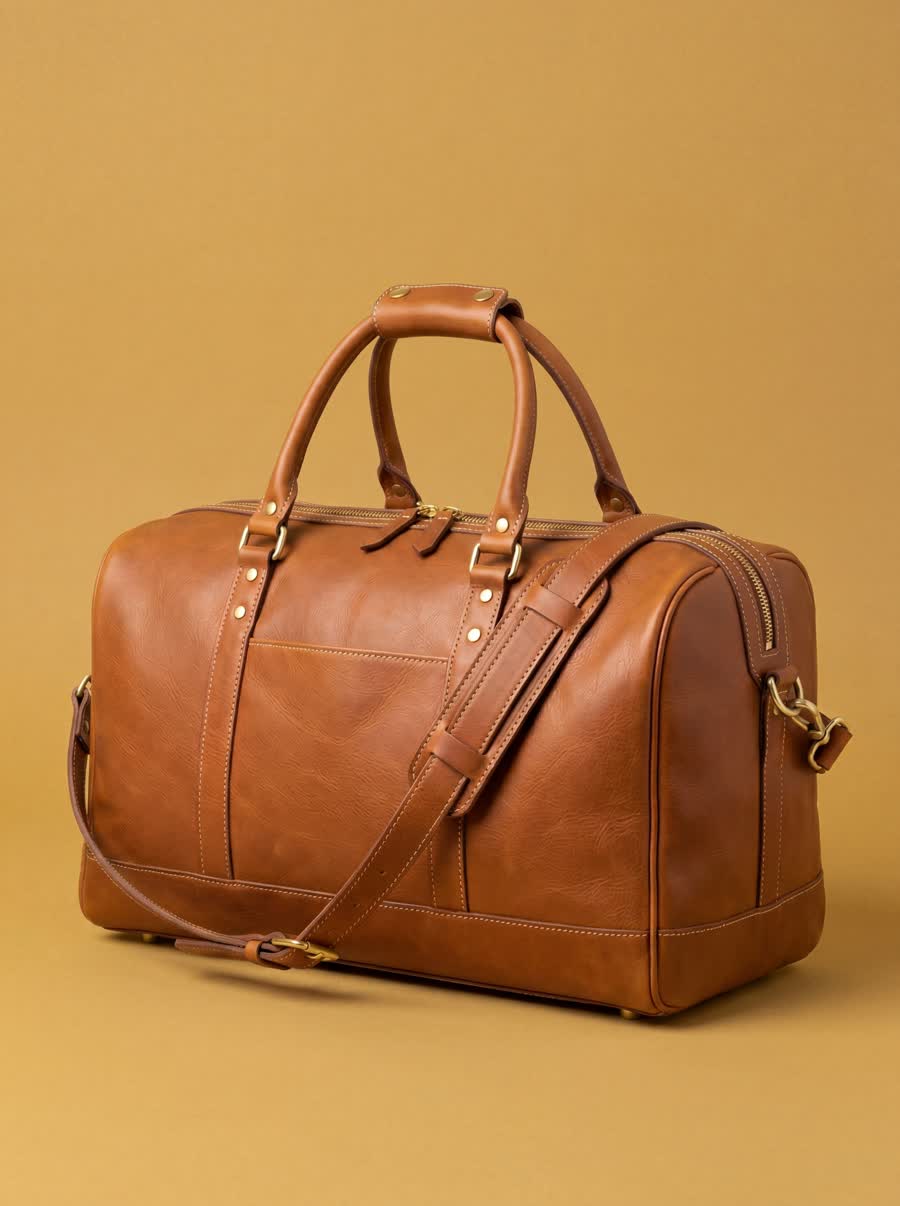
A clean studio frame: a main-image candidate. Generated with NOX Studio.
If you're wondering about the cost side, we ran the detailed comparison here: How much does AI product photography cost?
Pre-upload checklist
Give every image this 30-second pass before uploading:
- Is the main frame on a white background, with the product large and sharp?
- Are at least 6 of the 8 slots filled (angles + details + model + lifestyle)?
- Does the product's color on screen match the real thing?
- Any text, logo or watermark in the image? (there shouldn't be)
- Is a 3:4 or 4:5 vertical version ready for Instagram?
- Does the file name describe the product? (e.g. womens-linen-shirt-navy.jpg)
5 common mistakes
- Using a shadowy, gray-white background on the main image (a possible rejection reason).
- Filling only 3 of the 8 image slots.
- Selling apparel without an on-model frame.
- A different light and background language on every product, so the profile loses cohesion.
- Skipping detail frames, which raises returns and pre-sale questions.
Frequently asked questions
Can the Trendyol main image show a model? It depends on the category; in apparel an on-model main image is common, while accessories and cosmetics are expected to use a white-background product frame. Check the category requirements in your seller panel for the definitive rule.
Can AI-generated images be uploaded to Trendyol? Yes. As long as an image follows the rules (background, sharpness, size), how it was produced doesn't matter. Representing the product's real color and form accurately is your responsibility; NOX is designed to preserve product fidelity.
How many different frames can I generate from one photo? Dozens: studio, on-model, concept and editorial frames from a single product. Everyone who signs up for NOX gets 3 free generations, no card required.
Will my product's color or pattern change? The system analyzes the product first; color, pattern and form stay faithful to the reference photo. You can regenerate any frame you don't like.
What size is ideal for Instagram? 3:4 or 4:5 vertical for feed posts (1080 x 1440 or 1080 x 1350), 1080 x 1920 (9:16) for stories. In NOX you pick the size at generation time.
Ready to create your own shoots?
Studio, model and campaign visuals from a single product photo.