PhotoRoom Alternative: Edit Your Photos or Generate the Whole Shoot? (2026)
What PhotoRoom does well, where you hit its limits, and when an AI photo studio like NOX Studio is the right choice. An honest comparison with real generated examples.
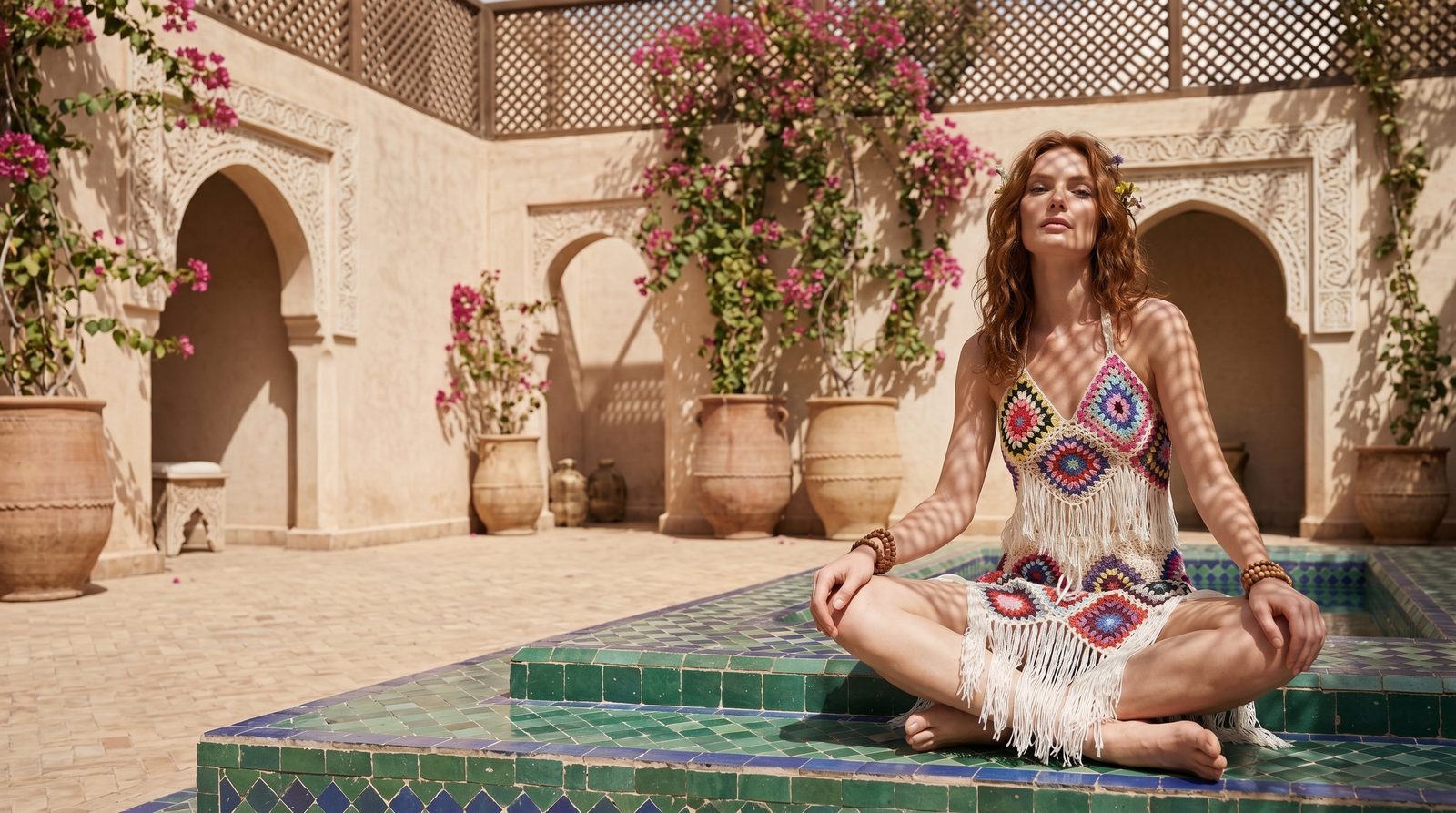
Short answer: PhotoRoom is a very good tool for editing the product photos you already have: it removes backgrounds, swaps scenes and batch-processes hundreds of images. You hit its limit when there is no good shot to edit in the first place. NOX Studio generates the shoot itself from a single phone photo: a clean studio frame, the product dressed on a model, concept and editorial campaign frames, a complete set in one pass. In short, PhotoRoom improves your photo; NOX removes the photoshoot.
If you're searching for a "PhotoRoom alternative", you've probably noticed something: a frame with its background removed is still not a frame that sells. This article compares the two tools honestly; what each one is genuinely good at, where they don't substitute for each other, and what the right workflow looks like for an e-commerce seller.
What does PhotoRoom do, and what does it do really well?
PhotoRoom is an AI-powered photo editing platform for e-commerce visuals. Its official site lists the headline tools: background removal, AI background generation, product staging, batch editing, shadows, resizing, a brand kit and marketplace sync. The free plan includes up to 250 background-removal exports per month; batch processing and the advanced tools sit in the paid plans.
Let's also be fair about this: PhotoRoom has features like Virtual Model that put garments on an AI model; it can turn a mannequin or flat-lay frame into a model image, with pose and background options.
So PhotoRoom is the tool for this job: you already have photos and you want to clean them up, multiply them and get them marketplace-ready, fast.
So where do you hit the limit?
In three situations:
- When there is no good shot to begin with. A background remover cannot turn a badly lit frame into a campaign image; the output is only as good as the input. Editing tools don't replace the shoot.
- When you need campaign and brand language. Producing the odd model frame is one thing; building magazine-grade editorial frames across a whole collection with the same model, the same light and the same scene language is another. That is not an editing job, it is shoot direction.
- When product fidelity is critical. In jewelry, patterned textiles and accessories, stone placement, pattern and form must be preserved exactly; general-purpose editing tools are not built on a flow that analyzes the product first.
NOX Studio starts exactly at these three points: the system analyzes your product photo first (color, pattern, form), then generates the shoot itself.
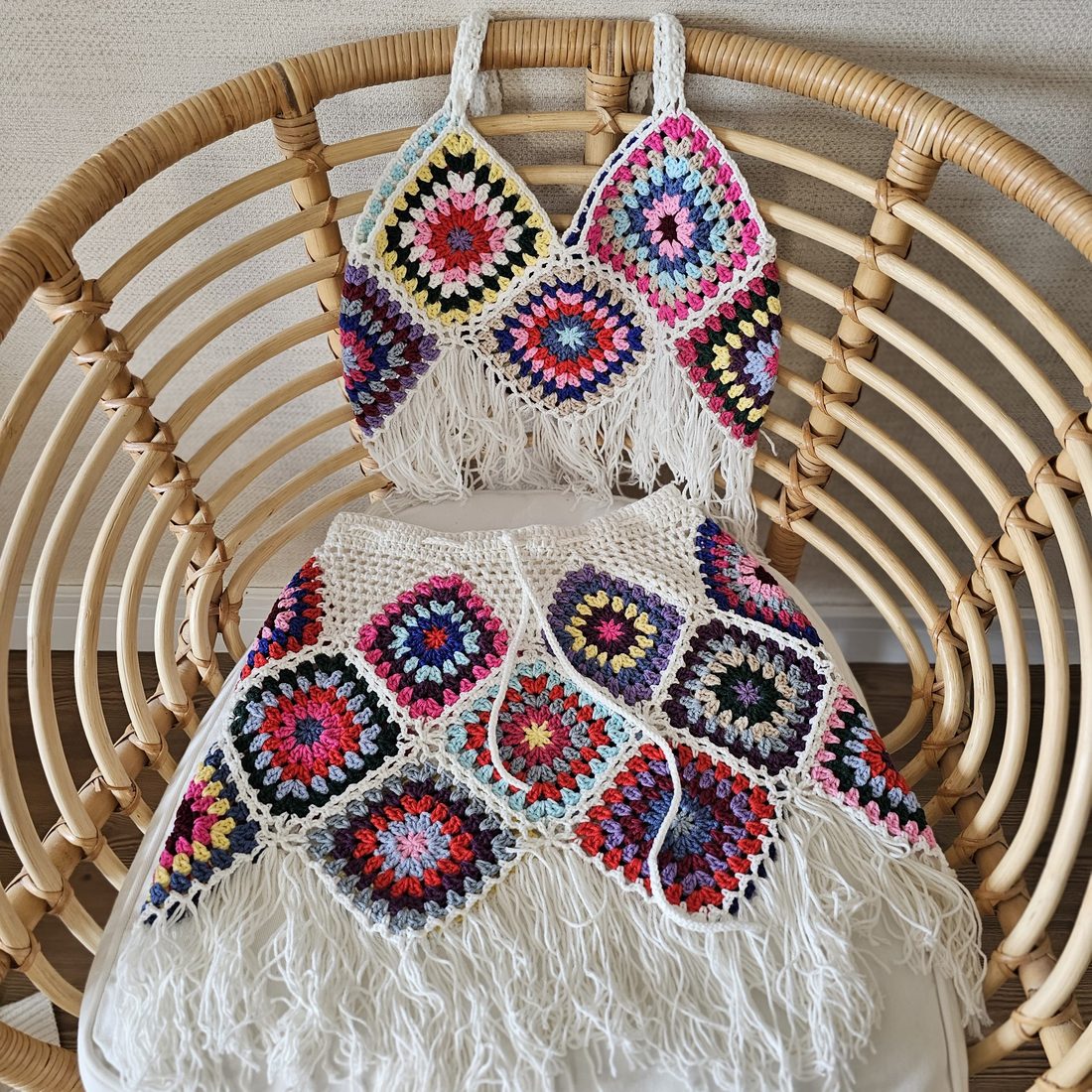
The input: a single phone photo of a hand-knit set, shot at home on a sofa. This is the frame an editing tool would "remove the background" from.
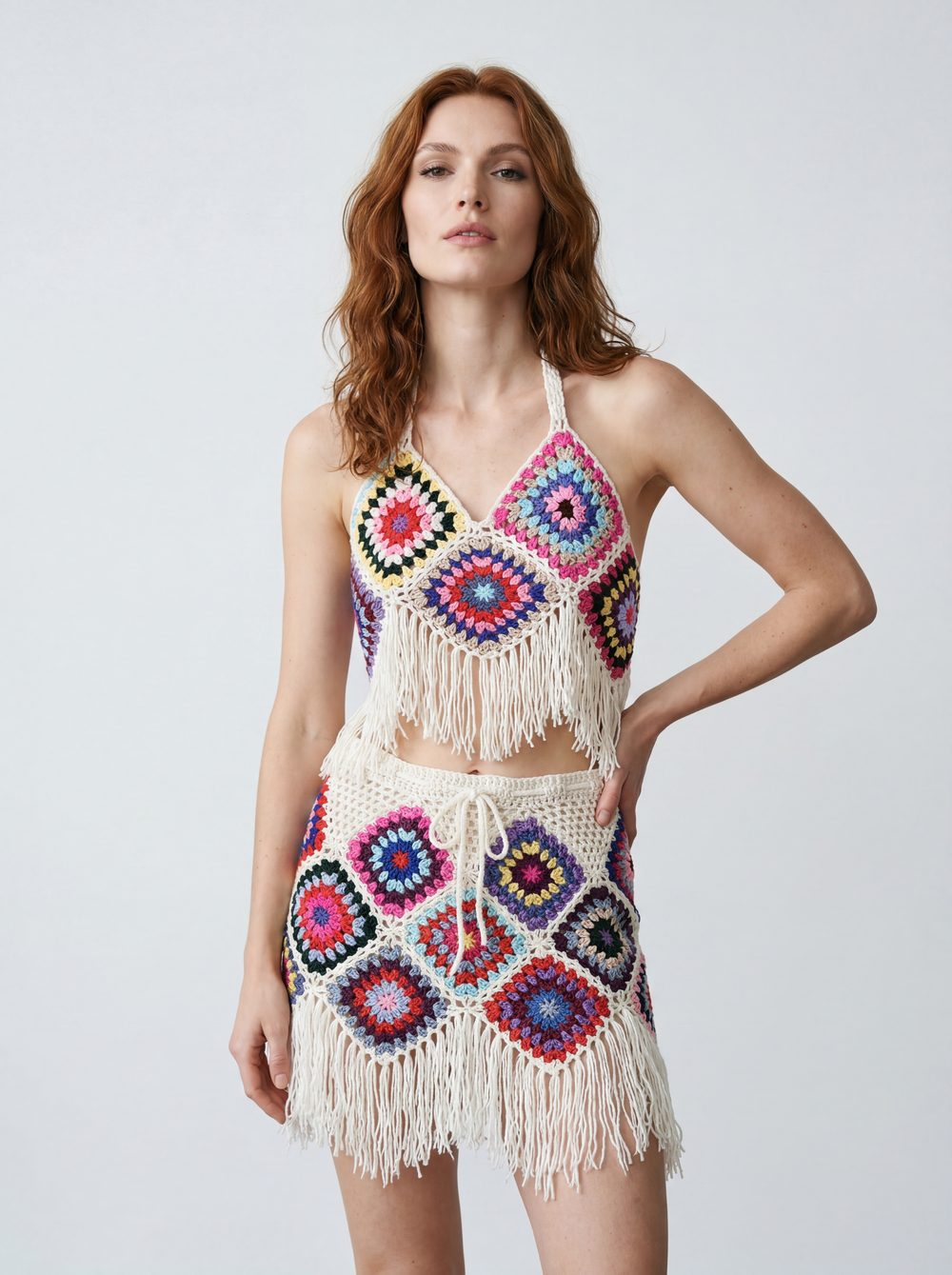
The same product as generated by NOX: model, light, posture. The knit pattern and tassels are preserved exactly. Not a result you reach with background removal.
Honest comparison table
| PhotoRoom | NOX Studio | |
|---|---|---|
| Core approach | Photo editing and transformation | Shoot generation (a complete set from one frame) |
| Input | Your existing product photos | A single phone photo is enough |
| Background removal / clean frame | Very strong, including batch | The Studio tool generates the clean frame directly |
| On-model display | Virtual Model: pose + background options | On-Model: product analysis + automatic framing; the same model can be locked across your catalog |
| Editorial / campaign frames | Template and scene-swap oriented | Core feature: location, mood and magazine-style scene direction |
| Complete set (studio+model+concept+editorial) | You use the tools one by one | Full Set generates it in one pass |
| Batch editing / marketplace sync | Yes (Pro plans and up) | No; NOX is a generation studio, not a catalog management tool |
| Getting started | Free plan with monthly export limits | 3 free generations, no card required |
The PhotoRoom details in this table were compiled from the official site as of July 2026; always treat their own pages as the source of truth for current plans and pricing.
Which one is for whom?
- You already have decent shots and your job is cleanup, multiplication and marketplace operations: PhotoRoom will serve you well.
- You have no shoot, or the frames you have don't sell; you want a storefront with models, concepts and campaign energy: that is NOX territory.
- The two can be complementary as much as they are competitors: you can generate your sets in NOX and run your operational workflow with whatever tools you like.
A complete shoot with NOX: 3 steps
- Take one sharp photo of the product (daylight, plain background, the whole product in frame) and upload it to NOX Studio.
- Pick your tool: Studio for the clean frame, On-Model for dressing, Editorial for campaign frames; or Full Set for all of it in one pass.
- Download the frames you like: clean frame + model frame for the marketplace, vertical editorial frames for Instagram.
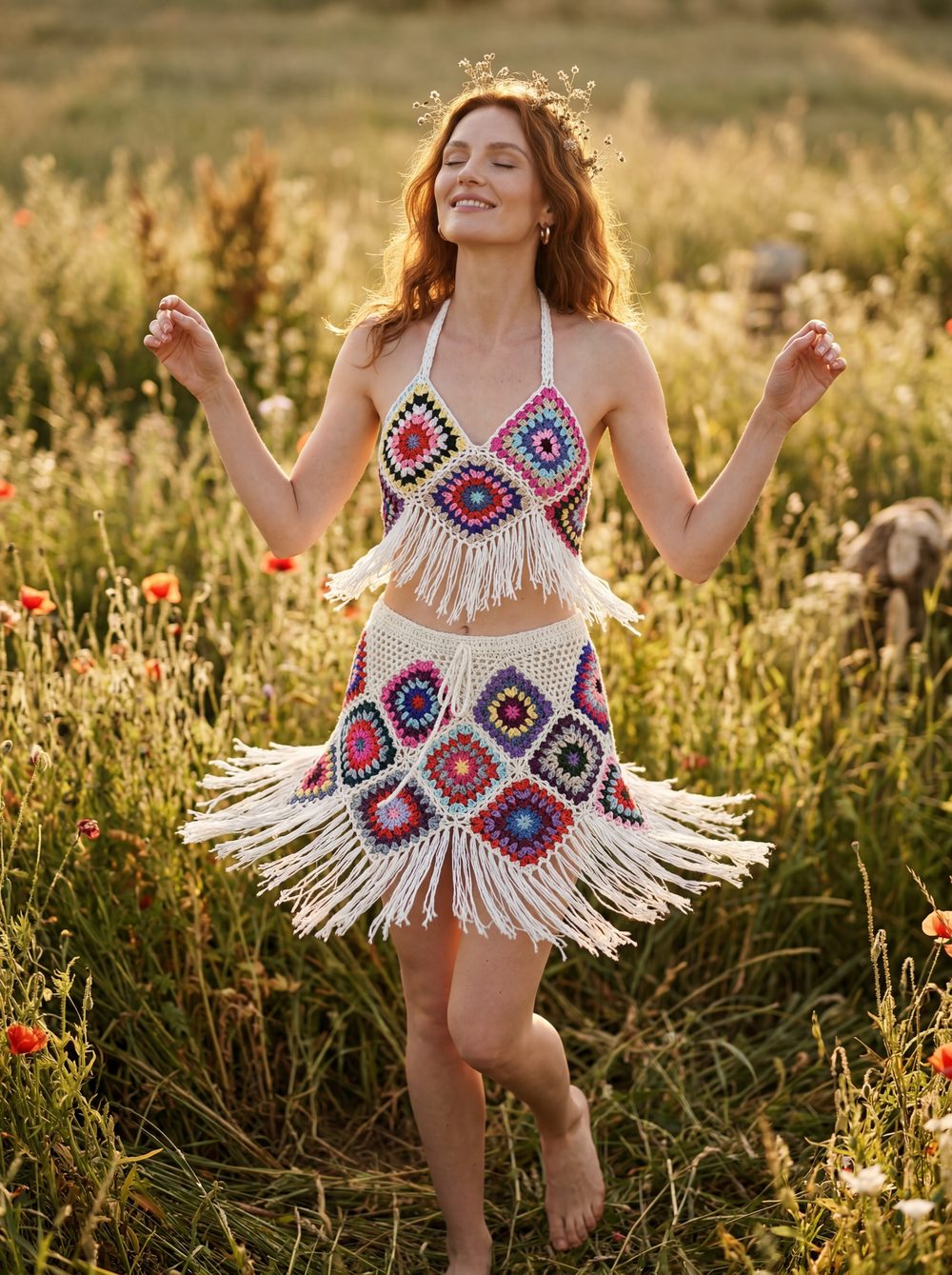
The editorial frame of the same product: location, golden-hour light and campaign feel. This is what "a complete shoot" means; the courtyard cover frame above was generated from the same single phone photo.
Curious about the cost side? We put agency, studio and AI options side by side here: How much does AI product photography cost?
Frequently asked questions
Can PhotoRoom dress a product on a model? Yes, its Virtual Model tool can produce a model image from a mannequin or flat-lay frame, with pose and background options. NOX differs in approach: the product is analyzed first, the framing is built to feature the product, and the same model can be locked across the whole collection to create a brand face.
I only want to remove backgrounds. Is NOX the right tool for that? No, and that's the honest answer. If your only need is stripping backgrounds from existing photos, an editing tool like PhotoRoom is more practical. NOX comes in when you need the shoot itself.
Will NOX preserve my product's color and pattern? The system analyzes the product before generating; color, pattern, stone placement and form stay faithful to the reference photo. You can regenerate any frame you don't like.
Is trying NOX free? Yes. Everyone who signs up gets 3 free generations and no card is required. Pricing is transparent on the pricing page.
Does it make sense to use both together? It can. Some sellers generate their shoot sets in NOX and run batch resizing or marketplace operations with other tools; the right workflow depends on your volume and channel count.
Ready to create your own shoots?
Studio, model and campaign visuals from a single product photo.