Perfume and Cosmetics Product Photography: Shots That Sell the Bottle (2026)
The tricky parts of shooting perfume and cosmetics: reflections on glass, keeping true scale, editorial scene building and the e-commerce main shot. A step-by-step AI workflow, no studio needed.
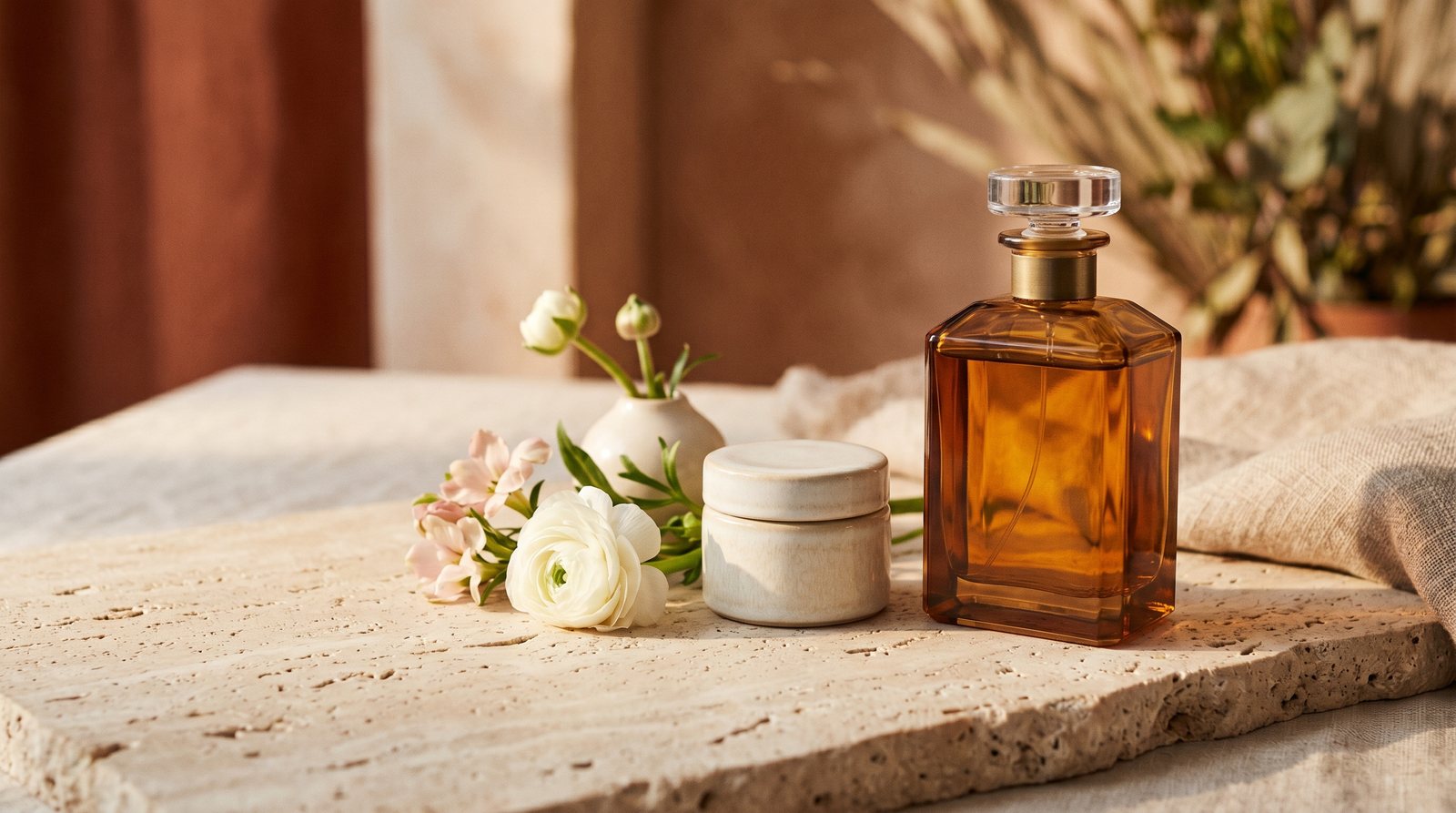
Short answer: Perfume and cosmetics photography has three hard parts: reflections on glass and glossy surfaces, keeping the product's true sense of scale, and reaching the editorial scene quality the brand deserves. The traditional answer is a macro-lens studio shoot; with AI, a single clear phone photo produces both a white-background e-commerce main shot and magazine-grade campaign scenes. What matters is that the bottle's shape and label stay faithful to the reference and that the bottle sits at true scale in hands and scenes.
Buyers cannot smell or try the product; the image and the copy make the entire decision. That makes beauty one of the most image-sensitive categories in e-commerce: the same bottle looks cheap in a bad shot and luxurious in a good one. This guide covers the category's specifics and the no-studio workflow.
Three things that make this category tricky
1. Glass, gloss and reflections. A perfume bottle reflects everything around it: the photographer, the window, the phone. Studios solve it with light tents and angle tricks. In AI generation the problem does not exist in the first place; the scene is built from scratch, so reflections belong to the scene itself and stay clean.
2. Sense of scale. The category's sneakiest failure is scale: a 50 ml bottle that reads like a gallon jug instantly breaks trust. In handheld shots the bottle's ratio to the palm, and in tabletop shots its relation to nearby objects, must be realistic. NOX tunes scale protection for perfume and cosmetics generations; bottles keep a true-size feel in hands and scenes.
3. Scene language and brand perception. Perfume sells an emotion, and the scene must build it: objects that echo the notes (wood and amber tones for woody, fresh flowers for floral), light with a time of day, and a palette that matches the brand. In skincare, cleanliness and the ingredient story lead: water, texture, natural elements.
Which shots do you need?
- White-background main shot: for marketplaces and your site; product and label sharp, shadows controlled.
- Texture/detail shot: cap, sprayer, label close-up; a cream smear for skincare.
- Editorial scene: the campaign shot that builds the emotion; the core asset for social and ads.
- In-hand shot: conveys scale and the feel of use.
- Set shot: the collection together; the workhorse image in gift-set seasons.
The no-studio workflow (step by step)
- Take one clear photo: daylight, plain surface, label readable, the whole bottle in frame.
- Upload it to NOX Studio; the system analyzes the product and preserves shape and label fidelity.
- Use the Studio tool for your white-background main shot.
- Use Editorial for campaign scenes; pick the scene and lighting direction.
- Size per channel: square for marketplaces, vertical for Instagram feed.
For the cost math: How much does AI product photography cost?. We share perfume and cosmetics examples on Instagram: @noxstudio.tr
Common mistakes
- Publishing without a scale check; the bottle reads bigger or smaller than it is.
- Leaving the label blurry or warped; buyers read it as a fake-product signal.
- A different scene language in every shot; the profile loses brand coherence.
- Stopping at the main shot and never producing the editorial scene that sells the emotion.
- Letting the scene palette fight the product color; the bottle disappears into the scene.
Frequently asked questions
Does the label and lettering survive generation? The system analyzes the product first; shape, color and label are generated to stay faithful to the reference photo. A sharp, readable label in your reference directly improves the result.
Will the bottle size look realistic? Yes; scale protection is specifically tuned for perfume and cosmetics generations, so bottles keep a true-size feel in hands and scenes. We still recommend a quick scale check before publishing; you can regenerate any shot you do not like.
Does it work for creams, serums and jars? Yes. Glass and plastic jars, tubes and pump bottles run through the same workflow; use detail shots for textures like a cream smear.
Do I have to describe the editorial scene myself? You start from ready-made scene and mood options and can add your own note to steer it. Staying within one scene family keeps your brand language consistent.
How many generations are free? Everyone gets 3 free generations at signup, no card required. Monthly plans start small for compact catalogs.
Ready to create your own shoots?
Studio, model and campaign visuals from a single product photo.