Botika Alternative: AI Model Photos or a Complete Campaign Set? (2026)
What Botika does, and how NOX Studio differs. An honest comparison of two approaches to AI model photography, with real examples generated from a single outfit photo.

Short answer: Botika is an established tool that generates AI model photography for fashion brands: it turns flat-lay, mannequin or existing model frames into AI-model shots. NOX Studio does that too; the difference is scope. From a single phone photo, NOX produces not just the model shot but a complete campaign set: a clean studio frame, concept shots and on-location editorial frames, and it works across product categories beyond apparel. Every image in this article was generated from one outfit photo.
Most people searching for a "Botika alternative" are asking one of two questions: "Can I get the same job done with a different tool?" and "Can I go beyond the model photo?" This article answers both honestly.
What does Botika do?
Botika is a well-known platform that generates AI models for fashion e-commerce. According to its official site, it takes flat-lay, mannequin and existing model photos as input; from these it produces AI-model product photos and videos, with a diverse range of models to choose from. It states that it works with brands like Forever 21 and Perry Ellis. It sells through a credit-based subscription model; current plans and prices are listed on its pricing page.
So Botika's focus is clear: moving the garment frame you already have onto an AI model. It is a serious product with enterprise customers; this article will not claim otherwise.
Where does the difference start?
A product page that sells is never just the model shot: a clean main image, angle and detail frames, on-model fit and the lifestyle/editorial frames that build brand perception all work together. An Instagram storefront demands the same set. That is exactly where the difference is:
- The Botika approach: AI model photo generation; the rest of the shoot (studio frame, concept, campaign scene) remains your problem.
- The NOX approach: the product is analyzed first (color, pattern, form), then studio + on-model + concept + editorial frames are generated from the same product in one place; Full Set does it in a single pass.
All three images below were generated from ONE photo of the same outfit:
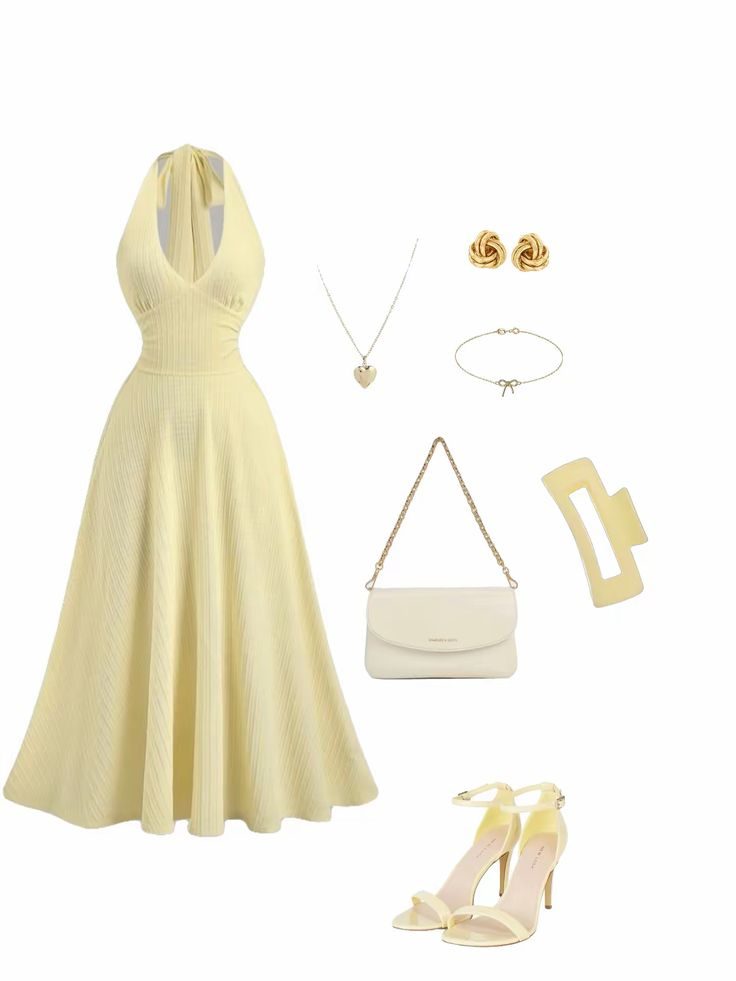
The input: a single flat-lay frame of a dress, bag, shoes and jewelry.
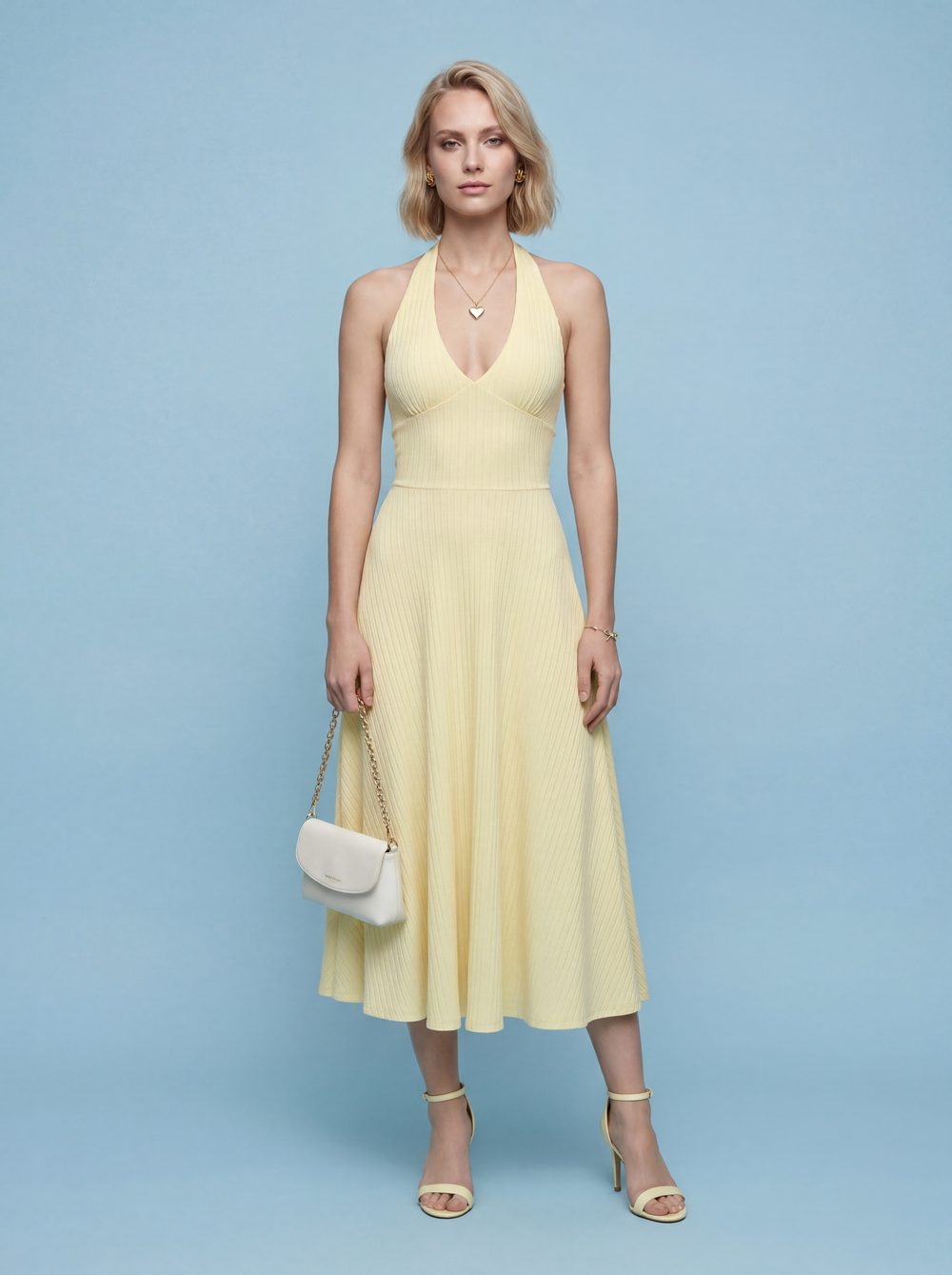
On the model: cut, posture and accessories preserved. This is the frame type Botika targets too; generated with NOX On-Model.

And the rest of the set: the same model, the same outfit, a morning walk on the beach. The wide cover frame is from the same shoot. Where the model photo ends, the campaign begins.
Honest comparison table
| Botika | NOX Studio | |
|---|---|---|
| Focus | AI model photos for apparel | Complete shoot set (studio + model + concept + editorial) |
| Input | Flat-lay, mannequin, model frame | A single product photo (a phone frame is enough) |
| On-model display | Core feature, with model diversity | Core feature; the same model can be locked across your catalog |
| Editorial / campaign scenes | Model-frame oriented flow | Core feature: scenes directed with location, light and mood |
| Product categories | Mainly apparel | Apparel + jewelry, bags, shoes, accessories, cosmetics |
| Pricing model | Credit-based subscription | Plans with transparent pricing |
| Trying it out | Offers a free trial | 3 free generations, no card required |
The Botika details in this table were compiled from the official site as of July 2026; treat their own pages as the source of truth for current features and pricing.
Which one is for whom?
- If you are a high-volume brand that needs model photos only and your workflow is already built around that, Botika is a solid enterprise option.
- If you want a complete visual set for the product page and Instagram, beyond the model shot, that is what NOX was built for: the whole set from one photo, with the same model across the collection.
- If you sell non-apparel products like jewelry, bags or shoes, the difference is even clearer; NOX's product analysis is designed to preserve stones, patterns and form.
Producing the same set with NOX: 3 steps
- Upload one sharp photo of the outfit or product to NOX Studio.
- Generate your model frame with On-Model and your campaign frames with Editorial; if you want everything in one pass, use Full Set.
- Lock the same model across your collection; studio + model frames for the product page, vertical editorial frames for Instagram.
We compared the cost side against agencies and studios here: How much does AI product photography cost?
Frequently asked questions
Does NOX offer model diversity? Yes. You can pick different model types, and with Model Studio you can create a model unique to your brand and use the same face across your whole collection.
Can a model shot really come out of a flat-lay photo? Yes; the model and editorial frames in this article were generated from a single flat-lay outfit photo. Cut, color and accessory fidelity are preserved by the product analysis that runs before generation.
Which products does it work on besides apparel? Jewelry, bags, shoes, eyewear, watches, cosmetics and home products all use the same flow; framing is set automatically based on the product type.
Do I need studio photos as input? No. A single sharp phone photo is enough: daylight, a plain background and the whole product in frame is the ideal input.
Does it make sense to use both together? For an enterprise brand, possibly; but for most sellers, getting the whole set from one tool is simpler on both cost and consistency. You can try NOX with 3 free generations, no card required.
Ready to create your own shoots?
Studio, model and campaign visuals from a single product photo.